
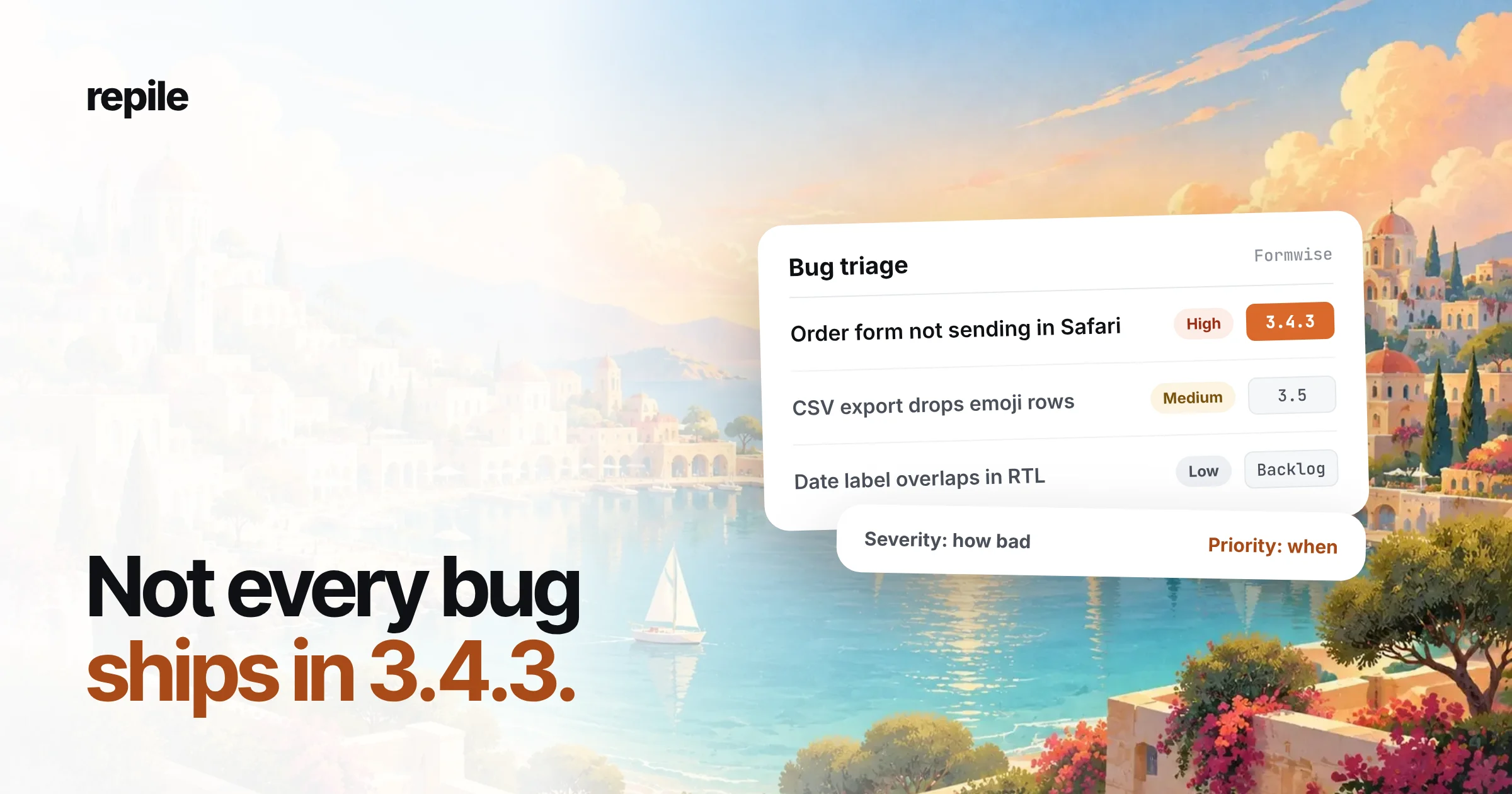
Bug triage is deciding, for every confirmed bug, how bad it is, when it gets fixed, and who fixes it. On a WordPress plugin or theme team, that decision rests on facts only support has: how many customers hit the bug, on which versions, and whether a workaround exists.
Most guides to bug triage are written for QA teams and sprint planning. They assume testers file the bugs and a product manager weighs them in a weekly meeting.
A plugin company works differently: most bugs arrive as support tickets and forum topics, and the next release is whatever you tag next.
This guide is for that team.
What is bug triage?
The word comes from emergency medicine, where someone decides who is treated first. In software, bug triage sorts reported defects so the worst ones are fixed first and the rest wait on purpose, not by accident.
A triage pass makes four decisions for each bug:
- Is it real? A confirmed defect in your code, not a setting, a conflict or a duplicate.
- How bad is it? The severity: what breaks, and for whom.
- When do we fix it? The priority: a patch release, the next minor release, the backlog, or never.
- Who owns it? A named developer, not "the team".
Defect triage is the same thing under another name. Some teams say defect for a bug found in testing and bug for one found by customers, but the process is identical.
Bug triage vs ticket triage
These two are easy to mix up, and on a small team the same person often does both.
Ticket triage sorts incoming support tickets: a bug, a conflict, a how-to question, a feature request. It happens within minutes of a ticket arriving.
Bug triage starts where ticket triage ends. It takes the tickets that turned out to be real bugs, plus bugs from GitHub and your own testing, and decides what the developers work on.
If your bug list is full of conflicts and setup questions, the problem is upstream. Fix the ticket triage, and bug triage gets much shorter.
Severity vs priority
Severity is how much damage the bug does. Priority is when you fix it.
They usually move together, but not always. That gap is where most triage arguments start, so it helps to define both.
Severity levels that fit a WordPress plugin:
- Critical. Data is lost, payments fail, or the site shows a fatal error. Example: form submissions are dropped without an error.
- High. A main feature does not work for a group of users, with no easy workaround. Example: the submit button does nothing in Safari.
- Medium. Something is wrong but there is a workaround. Example: a CSV export breaks on emoji, and customers can export as JSON instead.
- Low. Cosmetic or rare. Example: a label overlaps a field in a right-to-left language at one screen width.
Priority, in release terms:
- Patch release now. A 3.4.3 that ships this week with only this fix.
- Next minor release. It goes into 3.5 with the rest of the work.
- Backlog. It is real, it is logged, and nobody has promised a date.
- Won't fix. Closed with a reason the customer can read.
A low-severity bug can get a high priority. A typo in the checkout button label on the most popular form template is cosmetic, but thousands of visitors see it.
A high-severity bug can get a low priority too. A fatal error that only happens on PHP 7.2, below your stated minimum, may be closed with an explanation.
How to set priority on a plugin bug
Plugin teams rarely have usage analytics. Your tickets are the closest thing you have to telemetry, so priority leans on what support has seen.
Ask these in order:
- What does it cost the customer's site? Lost orders and lost entries come first.
- How many tickets and forum topics mention it? Three reports since a release often means more sites that never wrote in.
- Did a recent release cause it? A regression in your latest version deserves a patch, because every update spreads it.
- Is there a workaround? A snippet or a setting you can send today buys time for the real fix.
- Free or Pro? Paying customers have a reasonable expectation of a faster fix, and a bug in Pro-only code lives in a different repository.
- Is it in your code at all? A bug that only shows with one other plugin may belong to that plugin's author. Report it to them, and decide whether you also ship a workaround.
What support brings to a bug triage meeting
On many plugin teams the triage meeting is ten minutes on a Monday, or a thread. Either way, support should arrive with each bug already written up.
For every bug, bring:
- The confirmed verdict. Reproduced on a copy of the site, not the theme, not another plugin.
- The versions. Which plugin release it started in, and the WordPress and PHP versions where it was seen.
- The count. Linked tickets and forum topics, with the first and latest dates.
- The cost. What the customer loses while it is broken.
- The workaround, if one exists, and whether customers already have it.
- The suspected cause, ideally the file and line, if someone has read the code.
A bug that arrives like this takes a minute to triage. A bug that arrives as "a few people say forms are broken" takes the whole meeting, and still ends with "can someone look into it".
If you need a format for the write-up itself, our bug report template has one.
A bug triage pass on four example bugs
Here is how a short triage list for Formwise, a form plugin, might go. The bugs are examples.
Order form not sending in Safari since 3.4.2. Ticket #412 from Dana Whitfield at Northwind Bakery, plus two more tickets and one forum topic since the release.
- Severity: high, because orders are lost and customers do not see an error.
- Priority: patch release now, as 3.4.3, because 3.4.2 caused it and every update spreads it.
CSV export drops rows that contain emoji. One ticket, and the JSON export works.
- Severity: medium.
- Priority: next minor release, and support sends the JSON workaround.
Date picker label overlaps the field in right-to-left languages. One forum topic, cosmetic.
- Severity: low.
- Priority: backlog, logged with the screenshot.
Fatal error on PHP 7.2. Formwise requires PHP 7.4, and the readme says so.
- Severity: critical on that site, but outside what you support.
- Priority: won't fix. Support replies with the requirement and how to ask the host for a newer PHP version.
Only one of the four needs a developer this week. That is the point of triage.
Bug triage best practices for small plugin teams
- Triage on a fixed rhythm. Weekly is enough for most plugin teams, plus an immediate pass for anything critical.
- Keep one list. If bugs live in GitHub, the helpdesk and a spreadsheet, nobody sees the count. Put every confirmed bug in your issue tracker and link the tickets to it.
- Search before you file. A duplicate issue splits the count and hides how common the bug is.
- Write the reason down. Every "backlog" and "won't fix" gets one sentence on why, so support can explain it to customers.
- Tell customers when it ships. Keep the linked tickets, and reply to each one when the fix is released. It is the cheapest goodwill a plugin team can earn.
- Re-triage the backlog. A low bug with ten new tickets is no longer low.
- Keep customer data out of public issues. On a public repository, leave out site addresses, emails and ticket numbers.
Where Repile fits
Repile works on the support side of bug triage, so the bugs reach your developers already confirmed. It triages each new ticket from FreeScout, Help Scout and your WordPress.org forum as a real bug, a setup question or a duplicate.
When a ticket looks like a bug, Repile reads your plugin's code from GitHub at the release the customer has installed. It can test the bug on a sandbox, and it asks for approval before it clones a customer's site.
It leaves an internal note with the verdict, and the file and line for every claim, plus a reply draft. A person on your team reads the draft and presses send.
When the cause is in your code, Repile searches your repository for an existing issue first. If there is none, it files a GitHub issue with the steps to reproduce, the evidence and the failing line, linked back to the ticket.
By default it asks before every issue it files. On a public repository, it refuses an issue that contains an email address, a link to a customer's site or a helpdesk ticket reference (see the GitHub docs).
Repile does not decide your priorities. Severity, release plans and "won't fix" stay with your team, in the tracker you already use.
See how it fits a plugin company, or compare the plans.