
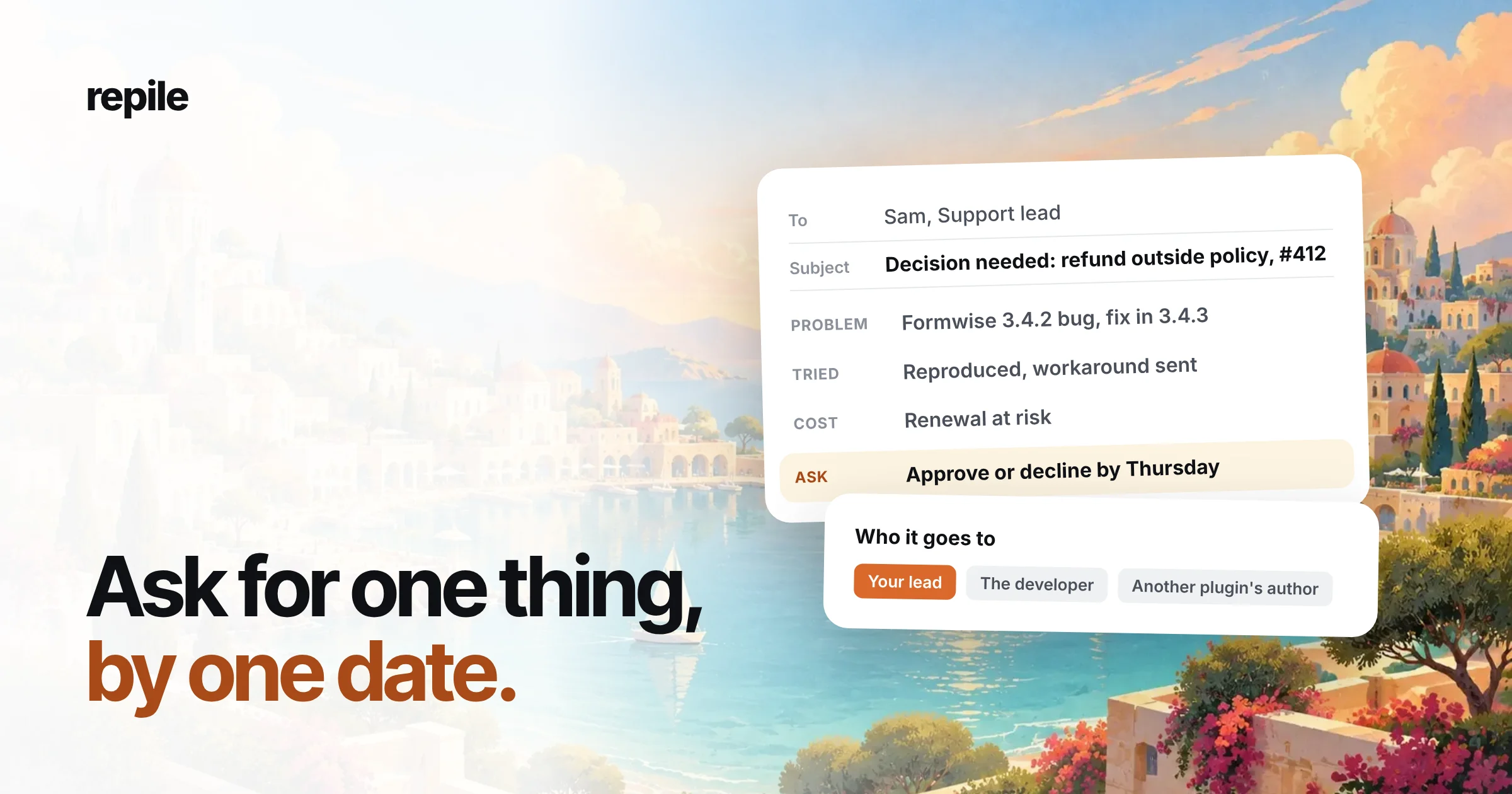
An escalation email asks someone with more authority or skill to act on a problem the sender cannot finish alone. A good one fits on a phone screen: what is wrong, what was already tried, what it costs, and the one thing you need by a date.
On a WordPress plugin or theme team, most escalation emails are not about angry customers. They go to a lead for a decision, to another plugin's author about a conflict, or to a developer when a confirmed bug has stalled.
What is an escalation email?
It is the message that moves a problem up or sideways after the normal path has not solved it. Usually it is the second or third message about the same problem, not the first.
Our post on ticket escalation covers when a ticket should go to a developer and what goes in the GitHub issue. This post is about the emails around that: the ones you write, and the one you receive.
When to send one
Send an escalation email when all three are true:
- You tried the normal path. You replied, filed the issue, or asked once, and it did not move.
- Waiting has a cost. A customer cannot take orders, a renewal is at risk, or tickets about the same bug keep arriving.
- The reader can act. They can decide, fix, or answer. If they cannot, find out who can before you write.
If the problem is only hard, it is not an escalation yet. Hard tickets stay with support.
The five parts of an escalation email
Every example below uses the same shape, so the reader can act without opening the ticket. Dana, Northwind Bakery and Formwise are our usual example data; Sam and Priya are example teammates.
- A subject line that names the product, the problem and the ask. "Decision needed: refund outside policy, ticket #412" beats "Urgent!!".
- One sentence on the problem. With the version number if it is a bug.
- What was already tried. So nobody repeats it.
- The cost of waiting. Customers affected, money, or a date.
- One ask with a date. "Approve or decline by Thursday" is answerable. "Thoughts?" is not.
Leave out the full ticket thread. Link to it instead.
Example 1: to your lead, for a decision
Use this when the answer is not in your policy and someone else owns the exception.
Subject: Decision needed: refund outside policy, ticket #412

Hi Sam,

Dana Whitfield (Northwind Bakery) asks for a refund on her
Formwise license. She bought it 41 days ago and our window
is 30 days.

What happened: her order form stopped sending in Safari
after 3.4.2. We confirmed it is our bug. The fix ships
in 3.4.3.

Options:
1. Refund in full (we lose the renewal).
2. Decline, and extend her license by 3 months.

I recommend option 2. She is waiting on a reply, so
could you decide by Thursday?

Ticket: #412
The recommendation matters. A lead can approve a plan in one line, but has to think about an open question.
Example 2: to a developer, when a confirmed bug has stalled
Use this when the issue exists but nothing has moved, and tickets are piling up behind it.
Subject: Formwise 3.4.2 Safari bug: 6 tickets now, need a fix date

Hi Priya,

The Safari submit bug (GitHub issue linked below) has had
no activity for 8 days.

Since we filed it, 5 more tickets came in with the same
cause. All are on 3.4.2. The only workaround is
"use Chrome", which does not help their customers.

Could you tell me by Friday whether the fix makes 3.4.3,
so we can tell customers something true?

Issue: <link>
Tickets: #412, #418, #421, #425, #430, #433
Note the ask: you are not asking the developer to work faster.
You are asking for a fact you can pass on.
Example 3: to another plugin's author, about a conflict
This one is particular to WordPress. Your plugin works, theirs works, and together they break.
Your developer cannot fix someone else's plugin, so the useful escalation goes to its author. Use their official support channel, and keep customer details out of it.
Subject: Conflict between Formwise 3.4.2 and <their plugin> <version>

Hi,

We support the Formwise form plugin. A shared customer
found that forms stop submitting when both plugins are
active.

Steps (on a clean site, default theme):
1. Install Formwise 3.4.2 and <their plugin> <version>.
2. Add a Formwise form to a page.
3. Submit it. Nothing happens.

Cause we found: both plugins load a script with the
handle "validate", so WordPress loads only one
of them.

We are renaming our handle in 3.4.3. Could you confirm
whether you plan the same, so we can tell users which
versions work together?

Thanks,
The Formwise team
Lead with the steps and the cause you found. "Your plugin breaks ours" gets ignored; a clean reproduction gets a reply.
This example is invented for this post. The script handle and versions are placeholders.
Example 4: up to the founder, for a security report
Security reports skip the queue. Move them out of the public thread at once, and send them to the person who decides on a release.
Subject: Security report for Formwise 3.4.2, needs owner today

Hi,

A user reported a possible security issue in Formwise
3.4.2 through ticket #440. I have not shared it anywhere
public, and I asked them not to post it on the forum.

I have not confirmed it. I need someone who owns the code
to look at it today and decide on next steps.

Details are in the ticket, which is private.
Keep the details out of the email itself. The ticket is already private, so link to it.
Example 5: the follow-up when nobody answered
Most escalations do not fail. They just get no reply.
Reply to your own first email, so the history is right there, and make the ask smaller.
Subject: Re: Decision needed: refund outside policy, ticket #412

Hi Sam,

Following up on this. Dana is still waiting.

If you are short on time: reply "2" and I will extend
her license by 3 months and close the ticket.
A one-word answer is the easiest thing to give.
When a customer escalates to you
Sometimes the escalation email arrives in your inbox. A customer writes "I want to speak to a manager" or copies your founder on a reply.
Answer it as the person they asked for, and do not make them repeat themselves.
Hi Dana,

I'm Sam, I lead support for Formwise. I read the whole
thread, so you don't need to explain it again.

You're right that this took too long. The Safari bug is
ours, it is confirmed, and the fix is in 3.4.3.

Until it's out, the form works in Chrome and Firefox.
I'll write to you myself the day the update is released.
Three things make it work: the person introduces themselves, owns the problem in one line, and says exactly what happens next. Our post on empathy statements has more on that middle line.
Do not promise a release date you do not control. If you can, promise to write when it ships, which you can keep.
Common escalation email mistakes
- Copying everyone. A CC list is a way of saying "this is everyone's problem", which means nobody's. Send it to the one person who can act.
- Burying the ask. If the reader reaches the end and does not know what you want, they will reply with a question.
- No date. Without one, your escalation joins everything else they meant to do this week.
- Pasting the thread. The reader needs the summary, not the 14 messages.
- Escalating before you checked. "Customer says it's broken" with no version is not ready for anyone.
Where Repile fits
Repile does not send escalation emails, and it is not a helpdesk. It works inside Help Scout, FreeScout, the WordPress.org forums and GitHub, and it does the work that makes an escalation short.
It sorts each new ticket, reads your plugin's code for the release the customer runs, and tells you whether the cause is your bug, their theme or their hosting. When it is your bug, it can open the GitHub issue with the steps and the failing line, which is the evidence your escalation email links to.
Each project also has a Director. It can find stalled and unanswered tickets, tag the person who must act, and, with Slack connected, post its alerts in your channel.
Those alerts are off until you turn them on in the Director settings.
The decision, the reply to the customer and the send button stay with a person. See how this works for plugin companies and theme companies, or compare the plans on the pricing page.