
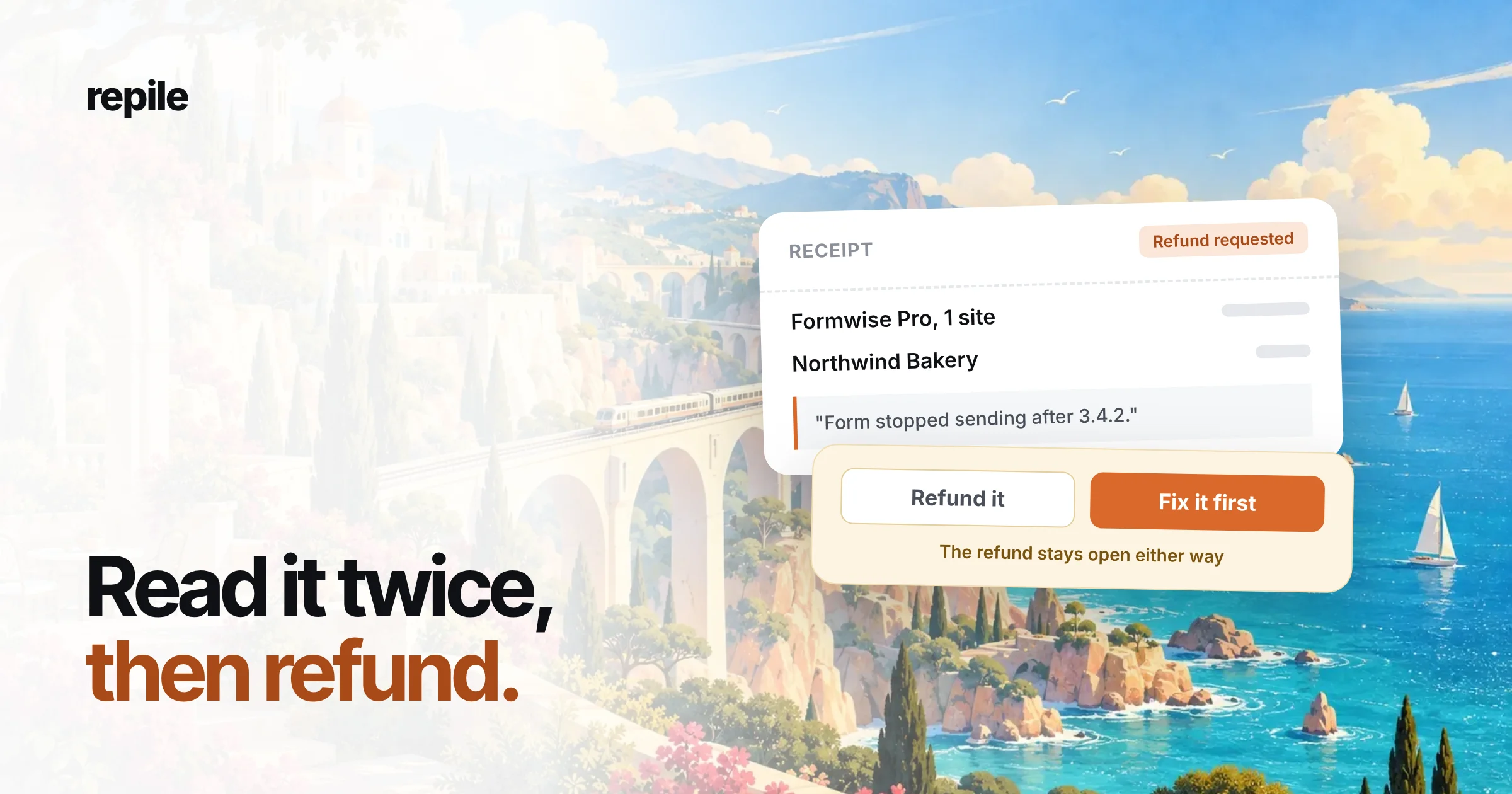
A refund email template is a reply you keep ready for the moment a customer asks for their money back: it states your decision, the amount, when the money arrives, and what happens to their license. Below are eight templates written for WordPress plugin and theme licenses, not for shoes or flights.
Before you send any of them, read the request once more. On a plugin team, many refund requests are bug reports from someone who has lost patience.
Why plugin refunds need their own templates
Most refund email templates online are written for shops: damaged parcels, wrong sizes, store credit. A plugin or theme refund is different in three ways.
First, nothing comes back. The customer keeps the zip file, so the refund email has to say what happens to the license key, updates and support.
Second, the reason is often a problem you could fix. "It broke my checkout page, I want a refund" is a ticket about a conflict or a bug, with a refund attached.
Third, you may not be the one who issues it. If the customer bought through a marketplace or a reseller, the refund usually goes through that platform's own process.
What should a refund email include?
Every refund email on this page follows the same order:
- The decision in the first sentence. Yes, no, or one question before you decide.
- The amount and where it goes. Back to the original payment method, in full or in part.
- When it arrives. Give the number of days your payment provider gives you, not a guess.
- What happens to the license. Whether the key is deactivated, and whether the plugin keeps working on their site.
- One next step. What they should do now, even if the answer is "nothing".
- The door left open. If something went wrong, ask for one line about it.
Keep the policy itself in a gap like [YOUR REFUND WINDOW], so the template never promises terms you have changed since.
First: is this refund request really a bug ticket?
Read the request and sort it into one of three groups before you open a template.
- They changed their mind or bought the wrong thing. Refund it if your terms allow, quickly and without a lecture.
- It does not do what they need. A missing feature is a fair reason. Refund it, and log the request so it counts toward your roadmap.
- It does not work on their site. This is a support ticket. Offer to fix it, and say plainly that the refund stays available.
The third group matters most. A customer who gets a working plugin often stays, while one who gets a refund for a bug you could have fixed in a day is gone for good.
Never make the refund depend on letting you debug their site. If they are inside your refund window and still want the money back, refund it.
1. Refund approved
Use this when the request is inside your terms and you have nothing to fix.
Subject: Your Formwise refund, order [ORDER NUMBER]

Hi Dana,

We've refunded your Formwise Pro purchase in full: [AMOUNT].

It goes back to the card you paid with.
[PAYMENT PROVIDER] usually takes [DAYS] business days to show it.

Your license key is now deactivated.
The plugin stays installed, but it will no longer get updates
or support. You can delete it from Plugins whenever you like.

If something in Formwise got in your way, one line about it
would help us a lot. No need to reply otherwise.

[YOUR NAME]
2. Asking one question before you refund
Use this when the request says the plugin does not work. The refund is still on the table, and the email says so in the first lines.
Subject: Re: Refund request, ticket #412

Hi Dana,

Happy to refund this if you'd like, and it stays available
until [DATE YOUR WINDOW ENDS] whatever you decide.

Before you choose: the order form not sending after the
3.4.2 update sounds like something we can fix, and usually
quickly. Could you send us:

- the page where the form sits,
- your Site Health info (Tools > Site Health > Info > Copy),
- what you see when you press Send.

If you'd rather just have the refund, reply "refund"
and we'll do it today.

[YOUR NAME]
Ask for what you actually need, once. Our post on writing a support ticket lists what a good plugin bug report contains.
3. Refund after a bug you could not fix in time
Use this when the problem was yours and the fix is not ready. Own it in one sentence and say when the fix ships, only if you know.
Subject: Your refund, and the fix for the form bug

Hi Dana,

We've refunded your purchase in full: [AMOUNT].
It should reach your card within [DAYS] business days.

You were right: the form stopped sending because of a bug
in Formwise 3.4.2, not anything on your site. We're sorry
it cost you orders.

[IF YOU KNOW: The fix ships in 3.4.3 on [DATE].]
[IF YOU DON'T: We're working on the fix now.]

If you want to try again once it's out, reply to this email
and we'll set you up with a license at no cost.

[YOUR NAME]
Delete the last paragraph if you do not offer that. A template is the wrong place to invent goodwill your team has not agreed on.
4. Partial refund or a cheaper license
Use this when the customer bought a bigger license than they need, for example an agency plan for one site. Only send it if your terms allow partial refunds or plan changes.
Subject: Your Formwise license change

Hi Dana,

We've moved you to the [SMALLER PLAN] license and refunded
the difference: [AMOUNT].

Your license key stays the same and keeps working on
northwindbakery.com. The refund reaches your card within
[DAYS] business days.

[YOUR NAME]
5. Refund declined: outside the window
Say no in the first sentence, give the reason in the second, and then offer what is still possible.
Subject: Re: Refund request, order [ORDER NUMBER]

Hi Dana,

We can't refund this one, I'm sorry. Your purchase was on
[DATE], and our refund window is [YOUR REFUND WINDOW].

What we can do:

- fix the problem you hit, if you send us the details,
- [TURN OFF AUTOMATIC RENEWAL, IF YOU OFFER IT],
- [ANY OTHER OPTION YOUR TERMS ALLOW].

[YOUR NAME]
Our post on how to say no to a customer covers declines in more depth, including the ones that come with a bad review.
6. They bought it through a marketplace
If the sale went through a marketplace or reseller, you usually cannot refund it yourself. Point the customer to the right place, and offer to help with the problem meanwhile.
Subject: Re: Refund request

Hi Dana,

Because you bought Formwise through [MARKETPLACE], the refund
has to go through them. You can request it here: [LINK].

We can't approve or block it from our side.

If the plugin isn't working, we're still happy to fix it.
Reply with your Site Health info and we'll take a look.

[YOUR NAME]
Check the marketplace's own rules before you write this one, and link to their page rather than paraphrasing it.
7. A renewal they did not expect
Annual licenses renew, and some customers forget. If your terms allow refunds on renewals, this is usually the easiest yes you will send all week.
Subject: Your renewal refund

Hi Dana,

We've refunded this year's renewal: [AMOUNT].
It reaches your card within [DAYS] business days.

We've also turned off automatic renewal, so you won't be
charged again. Your license stays active until [EXPIRY DATE].

[YOUR NAME]
8. Refund processed, after the fact
Some teams decide in one email and confirm in a second. Keep the second one short.
Subject: Refund sent: [AMOUNT]

Hi Dana,

Your refund of [AMOUNT] was sent on [DATE] to the card
ending [LAST 4]. If it hasn't appeared after [DAYS] business
days, reply here and we'll chase it with [PAYMENT PROVIDER].

[YOUR NAME]
Refund email subject lines
Customers search their inbox for these later, so put the order or ticket number in the subject.
- Your Formwise refund, order [ORDER NUMBER]
- Re: Refund request, ticket #412
- Refund sent: [AMOUNT]
- Your renewal refund
- Your Formwise license change
Mistakes we see in plugin refund emails
- Burying the decision. Three paragraphs of thanks before "we can't" reads as stalling.
- Debugging as a condition. "We'll refund once we've checked your site" makes the customer feel held hostage.
- Forgetting the license. If you do not say the key is deactivated, they find out from a nag screen.
- Promising dates you do not control. The payment provider sets the timing. Quote theirs.
- Losing the reason. A refund that says "it broke my checkout" is a bug report. Tag it, and check whether other tickets say the same; our post on ticket tagging shows how.
Where Repile fits
Repile does not issue refunds or touch your store, and it is not a helpdesk. It works inside the tickets you already get in Help Scout, FreeScout and the WordPress.org forums.
What it helps with is the question in template 2: is this refund request a real bug? Ticket triage sorts the ticket, site cloning copies the customer's site into a sandbox and tries their steps, and code reading checks the release they have installed.
Then it leaves an internal note and a reply draft in the ticket. A person on your team decides on the refund and presses send.
You can also put your refund terms in a project's instructions, so drafts follow them. See projects for how instructions work, and pricing for the plans.