
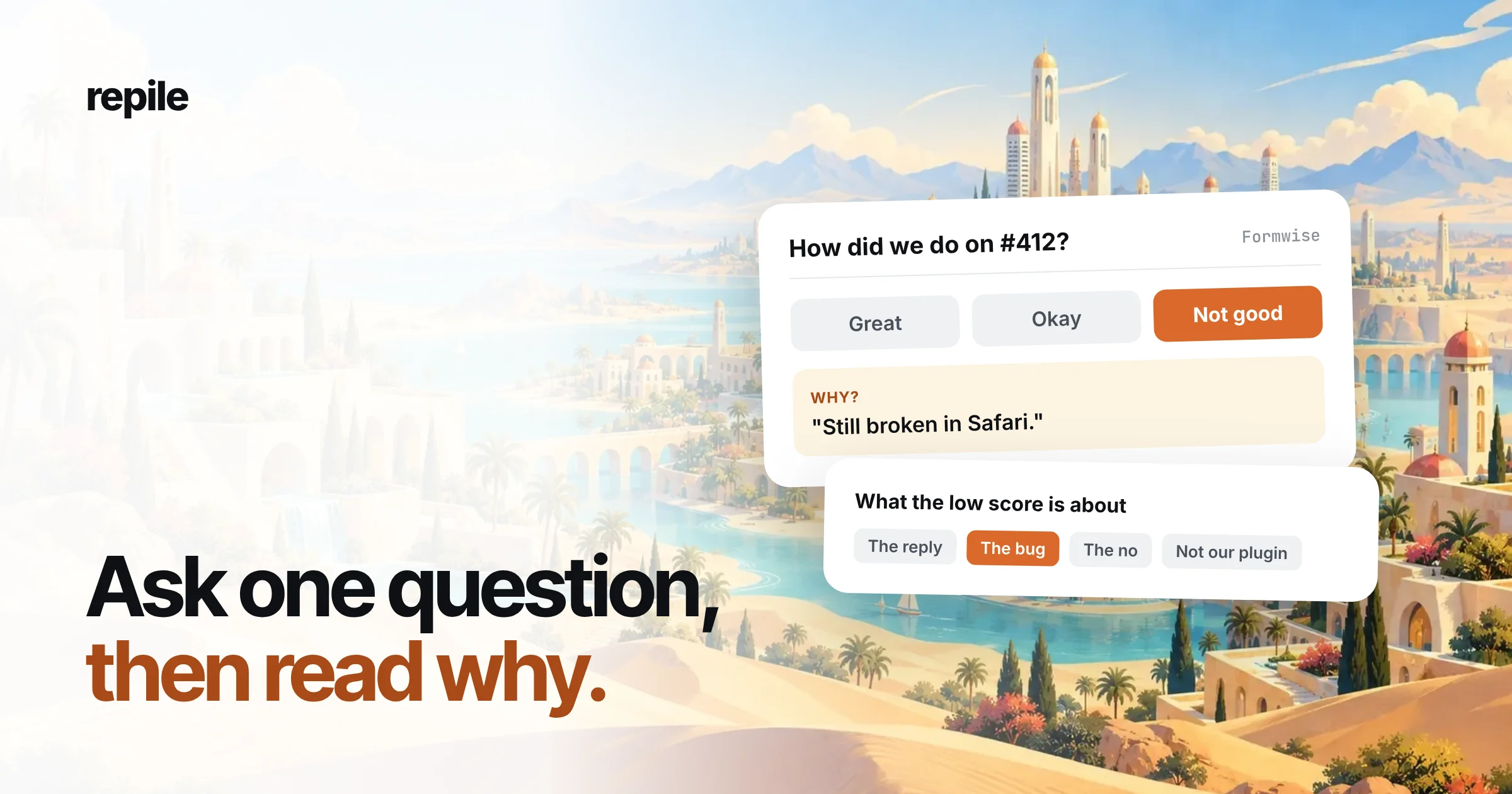
The best CSAT survey for a support ticket asks one rating question about that ticket, then one open question asking why. For a WordPress plugin or theme team, the hard part is not the wording but reading the answers, because a low score is often about the plugin, not the reply.
Search "csat survey questions" and you get lists of 40 or 50 questions for shops, hotels and onboarding flows. Most of them ask about delivery, packaging or checkout.
This guide is for the team that answers plugin and theme tickets. It covers the few questions worth sending, the ones to leave out, when to send them, and what to do with the scores.
What is a CSAT survey?
CSAT stands for customer satisfaction. A CSAT survey asks a customer to rate one experience, usually on a short scale, right after it happens.
For a support team, that experience is a ticket. Your CSAT score is the share of ratings that are positive, and it is only as useful as the reasons you collect with it.
The one question to ask
Every CSAT survey starts with a single rating question. Keep it about the ticket, not about your company.
- How satisfied are you with the help you got on this ticket?
- How would you rate our support on this request?
- Did we solve your problem?
Pick one and keep it. If you change the question or the scale later, your old scores stop being comparable.
Use a short scale: three options, five, or a simple yes and no. A customer with a broken form will not think hard about the difference between a 7 and an 8.
CSAT survey questions for plugin and theme support
After the rating, ask one open question. This is where the useful part of the survey is.
- What could we have done better?
- What was the main reason for your rating?
- Is there anything we didn't answer?
If your helpdesk lets you add one more question, pick it from the list below. Each one targets a problem that plugin and theme teams see in their tickets.
- Did the fix work on your site? A reply can be correct and still fail on the customer's theme, host or plugin mix. This question tells you when the answer did not survive contact with their setup.
- Did we ask you for the same information more than once? Back-and-forth about versions and screenshots wears customers down fast. Our post on how to write a support ticket covers what to ask for up front.
- How easy was it to get this solved? This is the effort question. A customer who had to deactivate plugins on a live store to help you may rate the answer well and the experience badly.
- Did the answer match the version you have installed? Use this one if your docs or saved replies often describe an older release.
That is the whole survey: one rating, one open question, and at most one of these. Every extra question lowers the number of people who finish it.
Questions to leave out
Some questions show up on every long list and do not belong in a ticket survey.
- "How likely are you to recommend us?" That is an NPS question. It rates the product and the brand, not the ticket, so send it separately if you want it.
- Two questions in one. "Was our reply fast and helpful?" cannot be answered when it was fast and wrong.
- Leading wording. "How great was our support?" asks for a compliment, not a rating.
- Questions about the roadmap. "Which feature should we build next?" belongs in your feature request process, not in a rating on ticket #412.
- Questions you will never read. If nobody owns the answers to a question, remove it.
When to send the survey
Send it when the ticket is solved, while the customer still remembers it. A survey that arrives a week later rates a vague memory.
Check how your helpdesk does it. Help Scout, for example, puts rating links below each reply when ratings are on for that inbox, and customers can rate or change a rating for 10 days, according to Help Scout's docs.
Rating every reply means a customer can rate a reply that only asked for their Site Health info. Read those ratings with that in mind, or attach ratings only to the reply that closes the ticket if your tool allows it.
Do not survey the WordPress.org forums. There is no survey to send there, and a forum thread is public, so the reply itself is what other users judge.
How to read a low score
A low score on a plugin ticket can mean very different things. Tag each one with its reason before you count anything.
- The reply. The answer was wrong, slow, vague or rude. This is what CSAT is meant to catch.
- The bug. The answer was right, but the fix is not released yet. The customer is rating the plugin.
- The no. You declined a refund outside the window, custom code or a feature. Our post on how to say no to a customer covers how to write those, but some will still score low.
- Not your plugin. The problem was in the theme, the host or another plugin, and the customer wanted you to fix it anyway.
Here is an example. Dana Whitfield at Northwind Bakery reports in ticket #412 that the Formwise order form does nothing in Safari, and support confirms it is a bug in Formwise 3.4.2.
The reply is quick and honest, with a workaround and a promise to write back when the fix ships. Dana rates it low and writes "still broken".
That score is about the bug, and it should go to whoever owns the release, not to the person who answered.
What to do with a low score
A low score is a ticket of its own. Treat the rating comment as a new message from the customer.
- Answer the customer. If the comment says something is still broken, reply. A short "we read this, here is where the fix stands" often matters more than the fix.
- Read the ticket again. Check whether the first reply asked the right questions and answered the version the customer runs.
- Fix the cause, not the score. A score about a reply is a coaching note. A score about a bug belongs on your known issues list. A repeated question belongs in your FAQ.
- Close the loop. When the fix ships, tell the customers who rated low because of it.
Look at the trend for your own team, by reason. A month of low scores tagged "the bug" tells you something about a release, not about support.
CSAT and WordPress.org reviews
Star reviews on WordPress.org are not CSAT. They are public, they rate the whole plugin, and anyone can leave one without a ticket.
Keep the two apart. Do not turn a CSAT survey into a request for a public review, and do not read your review average as a support score.
Where Repile fits
Repile does not send CSAT surveys or calculate a score. Keep using the ratings in your helpdesk or survey tool for that.
Repile is not a helpdesk either: it works on tickets inside FreeScout, Help Scout, the WordPress.org forums and GitHub.
What it works on is the reply that gets rated. Repile triages each ticket and, when it needs to, reads your plugin's code for the release the customer has installed.
You can give each project instructions, such as "always ask for the Formwise version", as the Projects docs describe. Repile then leaves an internal note and a reply draft in the ticket, and a person on your team presses send.
See how it fits a plugin company or a theme company, or compare the plans.