
First response time is how long a customer waits between opening a ticket and getting the first reply from a person on your team. For one ticket it is the time of the first human reply minus the time the ticket arrived, and for a team it is the median or average of that across all tickets.
That is the easy part. The hard part, on a WordPress plugin or theme team, is that the fastest first reply is often the least useful one.
What is first response time?
First response time (FRT) measures one gap: from the moment a ticket is created to the moment someone replies to it. Some helpdesks call it first reply time.
It does not measure how long the problem took to fix. That is resolution time, and it is a different number.
Help Scout includes it in its Productivity report, and most other helpdesks report something similar.
How do you calculate first response time?
Take one ticket.
Dana Whitfield at Northwind Bakery opens ticket #412 at 9:10 AM: the Formwise contact form does nothing in Safari after she updated to 3.4.2. Your first reply goes out at 11:40 AM.
The first response time for #412 is 2 hours 30 minutes. Do the same for every ticket in the week, and you have your team's number.
Four choices change the result, so decide them once and write them down:
- Median or average. One ticket that sat over a long weekend can drag the average up for the whole month. The median tells you what a normal customer waited.
- Business hours or calendar time. Business hours is fair to your team. Calendar time is what the customer felt. If you serve customers in other time zones, look at both.
- Auto-replies do not count. An automatic "we got your message" email confirms delivery. It does not answer anything, so it should not stop the clock.
- Which tickets count. Spam, thank-you notes and tickets your own team opened should be left out, or they make the number look better than it is.
First response time vs average response time vs resolution time
These three get mixed up, and they answer different questions.
- First response time: how long the customer waited before anyone replied at all.
- Average response time: how long the customer waits for each reply, across the whole conversation.
- Resolution time: how long it took from the first message until the ticket was closed.
A team can have a fast first response and a slow resolution. On plugin tickets, that is common, and the next section explains why.
What is a good first response time?
There is no single right number. Published benchmarks mix live chat with email, large companies with small ones, and human replies with bots.
A better target is the one you can keep and are willing to promise. If your support page says "we reply within one business day", that is your target, and the useful question is how often you miss it.
Track the misses, not just the median. A median of three hours means little to the customer who waited three days.
Why plugin tickets make first response time misleading
Most plugin tickets arrive without the facts you need: the plugin version, WordPress and PHP versions, the theme, and the other active plugins.
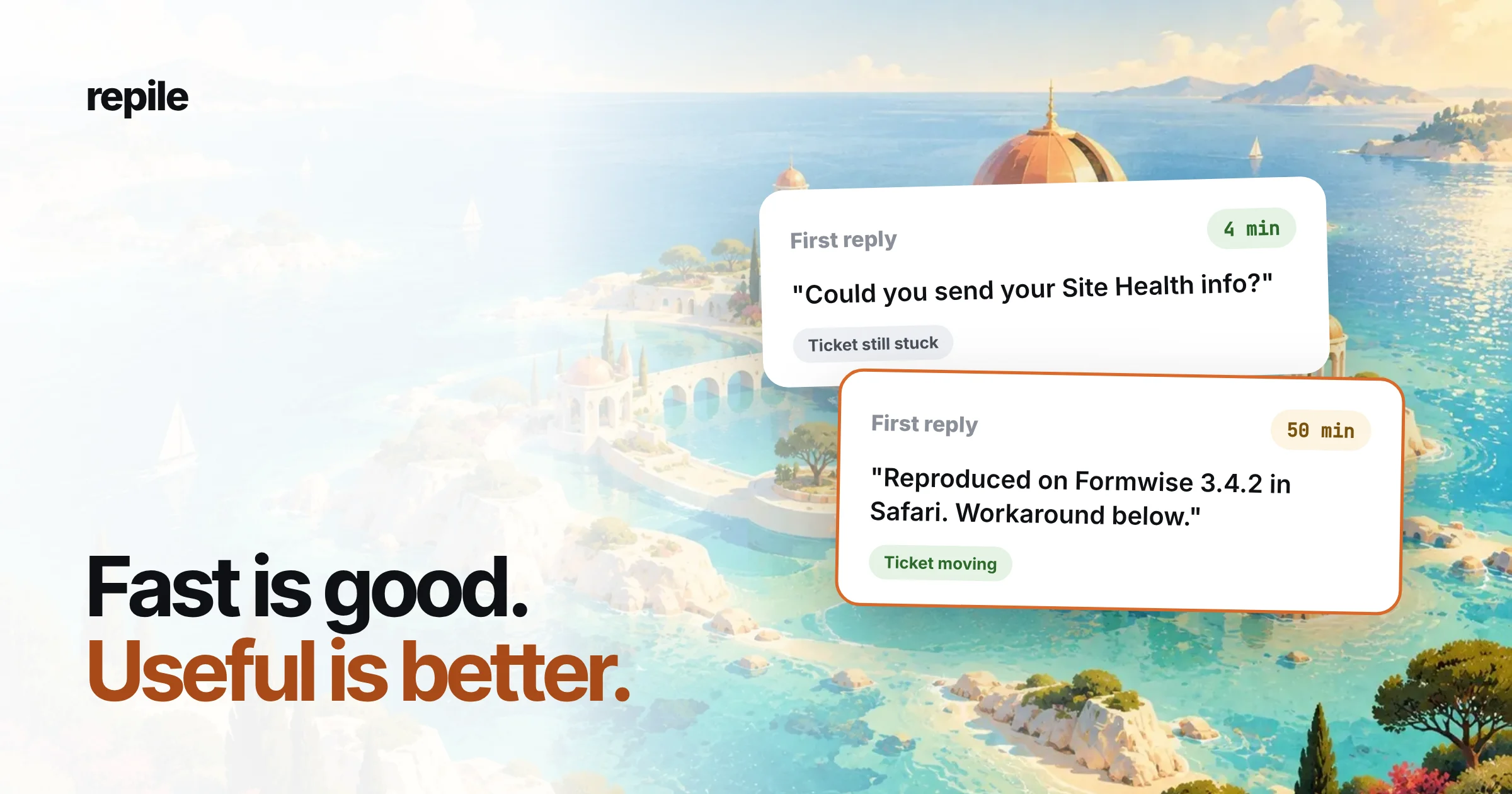
So the quickest possible first reply is "Could you send your Site Health info?" It takes thirty seconds to send, it stops the clock, and the report looks great.
But the ticket has not moved. The customer now waits for their own turn, and the real work starts only when they come back, often the next day.
Here is the same ticket #412 answered two ways.
The fast reply, sent after 4 minutes:
Hi Dana,

Thanks for reaching out. Could you send us your Site Health info
(Tools > Site Health > Info) so we can look into this?
The useful reply, sent after 50 minutes:
Hi Dana,

Thanks for the clear report. We tried the contact form on
Formwise 3.4.2 in Safari and saw the same thing: the button
does nothing.

It is our bug, and it is in the 3.4.2 release. Until the fix
ships, [WORKAROUND] gets the form working again.

We have linked your ticket to the bug and will write here
when the fixed version is out.
The first reply wins on first response time. The second one wins on everything the customer cares about, and it probably saves a whole round trip.
What counts as a real first response?
We use a simple test. A first response is real when it does at least one of these:
- Names the problem back in your words, so the customer knows you read it.
- Says what you checked, even if the answer is "we could not see it yet".
- Gives a next step the customer can take today, such as a workaround or a setting.
- Asks for one specific thing that only the customer can give, and says why you need it.
A reply that asks for "more details" without saying which ones fails the test. So does a reply that pastes the full troubleshooting checklist.
How to improve first response time without gaming it
Stopping the clock is easy. Getting a useful reply out sooner takes changes earlier in the process.
- Collect the facts before the ticket arrives. A contact form that asks for the plugin version and Site Health info removes the most common "please send" reply. Our bug report template has the questions.
- Triage first. Sort new tickets into real bugs, setup questions, conflicts and duplicates before anyone answers, so an urgent bug does not wait behind three how-to questions. See ticket triage for categories that fit plugin work.
- Answer duplicates from what you already know. When a bug is already known, the first reply can carry the workaround straight away.
- Keep good saved replies for the asks you cannot avoid. When you do need Site Health info, a well-written canned response says why, so the customer answers faster.
- Cover your customers' hours. If most tickets arrive while your team sleeps, no workflow fixes that. A rota or a teammate in another time zone does.
- Report first response time by category. A slow median on real bugs and a fast one on license questions is a very different story from one blended number.
Do not forget the WordPress.org forums
If your plugin has a free version, its support forum on WordPress.org is part of your first response time too, even if no helpdesk report counts it.
Forum topics are public. Other users read an unanswered topic before they decide whether to install your plugin, so a slow first reply there costs more than one customer's patience.
Common mistakes
- Sending a holding message to stop the timer. "We are looking into it" with nothing else in it helps the report, not the customer.
- Measuring first response time alone. Pair it with resolution time, or with how many replies a ticket needs. If first response time drops while replies per ticket go up, you are trading speed for round trips.
- Setting one target for every channel. A forum topic, an email ticket and a pre-sales question do not need the same target.
Where Repile fits
Repile does not send replies on its own, so it does not stop your clock. A person on your team still reads the draft and presses send.
What it changes is how much work that first reply needs. Repile picks up new tickets from Help Scout, FreeScout and your WordPress.org forums, sorts each one, reads your plugin's code, and leaves an internal note and a draft reply in the helpdesk.
With Help Scout it checks for new conversations every minute, or instantly with webhooks, as the Help Scout setup guide explains.
So the teammate who opens ticket #412 starts from a note that says what Repile checked, instead of from a blank reply box. Rules like "always ask for the Formwise version" or "never promise release dates" go into the project's instructions.
Repile is not a helpdesk, and it will not report your first response time for you. Your helpdesk keeps doing that.
If your team's first replies are fast but empty, see how Repile works for plugin companies, or compare the plans on the pricing page.