
A root cause analysis template is a short document that records what went wrong, why it happened, and what changes so it does not happen again. For a WordPress plugin or theme team, the usual trigger is a release that broke customer sites and filled the support queue.
Below is a template you can copy, a filled-in example, and the part most templates leave out: what support brings to the analysis, and what customers should hear afterwards.
What is a root cause analysis?
It is the step after the fix. The fix stops the damage; the root cause analysis (RCA) asks why the damage was possible and changes that.
The templates that rank for this phrase come from project tools and quality teams. They are built for factories, hospitals and marketing dashboards, so they never mention a release, a ticket or a customer's site.
A plugin team needs something smaller. One page, written within a week, that the developer, the support lead and the founder all read.
When should a plugin team write one?
Not for every bug. Most bugs get a bug triage decision, a fix and a line in the changelog, and that is enough.
Write an RCA when one of these happens:
- A release broke working sites. Customers updated and something that worked yesterday stopped.
- Many customers wrote in about one problem. Several tickets and forum topics about the same thing, as in our post on duplicate tickets.
- A bug came back. It was fixed once and returned in a later version.
- Data was lost or exposed. Entries deleted, settings wiped, or anything security related.
- Support got it wrong at scale. A saved reply gave the wrong fix to twenty customers. Support processes have root causes too.
The root cause analysis template
Copy this into your docs, a GitHub issue or a shared document. Each section should take a few lines, not a page.
Root cause analysis: <product> <version>, <one-line problem>

1. Summary
   What broke, for whom, and for how long. Two sentences.

2. Impact
   Versions affected:
   Tickets and forum topics:
   Refunds, renewals or reviews affected:
   Data lost: yes / no

3. Timeline (with dates and times)
   Release shipped:
   First ticket:
   Bug confirmed:
   Workaround sent:
   Fix released:
   Last affected customer answered:

4. What happened
   The direct cause, in plain words. Link the issue and the commit.

5. Why it happened (5 whys)
   Why 1:
   Why 2:
   Why 3:
   Why 4:
   Root cause:

6. What went well
   What to keep doing.

7. Actions
   Fix:      <what> / <owner> / <date>
   Prevent:  <what> / <owner> / <date>
   Support:  <what> / <owner> / <date>

8. What customers were told
   Link the reply, the known issues entry and the changelog line.
Two sections make this a plugin team's template rather than a generic one. The timeline starts at the release, not at the first complaint.
And there is always a Support action, because the next release will produce tickets either way.
A filled-in example
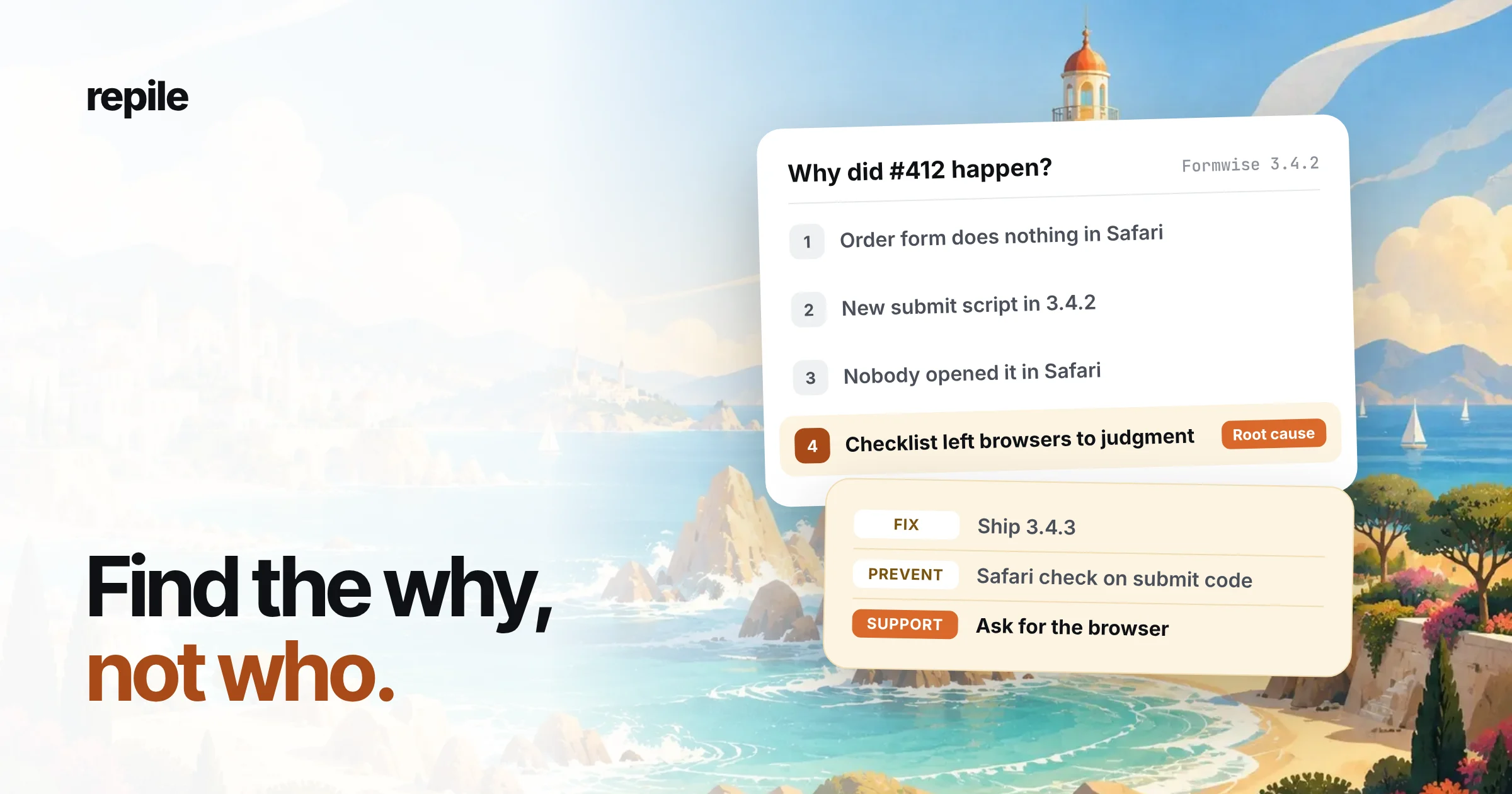
Here is the template filled in for our usual example: the Formwise order form that does nothing in Safari after 3.4.2. The cause and the numbers are an example, not a real incident.
Root cause analysis: Formwise 3.4.2, order form does nothing in Safari

1. Summary
   From 3.4.2 until 3.4.3, the submit button did nothing in
   Safari. Entries were not saved. Other browsers worked.

2. Impact
   Versions affected: 3.4.2
   Tickets and forum topics: 6 tickets, 2 forum topics
   Refunds, renewals or reviews affected: 1 refund request (#412)
   Data lost: entries typed in Safari were not saved

3. Timeline
   Release shipped:        Monday 09:00
   First ticket:           Monday 15:40 (#412, Dana Whitfield)
   Bug confirmed:          Tuesday 11:00
   Workaround sent:        Tuesday 12:30 (use another browser)
   Fix released:           Thursday 10:00 (3.4.3)
   Last customer answered: Thursday 14:00

4. What happened
   3.4.2 changed the submit script. Safari handled the change
   differently and the click never reached the form handler.

5. Why it happened
   Why 1: The click did nothing in Safari.
   Why 2: The new submit script behaved differently in Safari.
   Why 3: Nobody opened the form in Safari before the release.
   Why 4: The release checklist lists browsers "where relevant"
          and nobody decided what that meant for this change.
   Root cause: the checklist leaves the browser check to judgment.

6. What went well
   Support tagged all six tickets within a day, so every
   customer got the 3.4.3 update note.

7. Actions
   Fix:     Ship 3.4.3 / Priya / done
   Prevent: Any change to submit code is opened in Safari,
            Chrome and Firefox before release / Priya / next release
   Support: Ask for browser and device in the bug report form /
            Sam / Friday

8. What customers were told
   Reply to each ticket, known issues entry, 3.4.3 changelog line.
Priya and Sam are example teammates. Notice that the root cause is a gap in the release process, not a person.
How to run the 5 whys without blaming someone
The 5 whys is the method most templates use. You ask why the problem happened, then why that happened, until the answer is something you can change.
Three rules keep it useful:
- Stop at a process, not a person. "Priya forgot" is not a root cause. "The checklist let anyone forget" is.
- Stop when the answer is something you control. "Safari is different" is true and useless. You cannot change Safari; you can change your checklist.
- Five is a guide, not a rule. Some chains end at three. If you reach seven, you have probably drifted into a different problem.
Fishbone diagrams, fault trees and the other methods the big templates list are built for problems with many causes. A plugin release bug almost always has one chain, and a numbered list is enough.
What support brings to a root cause analysis
The developer knows what the code did. Support knows what it did to customers, and that half is usually missing.
Before the RCA meeting, support should collect:
- The first ticket and its time. The gap between the release and the first ticket tells you how visible the bug was.
- Every ticket and forum topic about it. A shared tag makes this a search. Our post on ticket triage covers tagging as tickets arrive.
- The time to confirm. How long from the first ticket to "yes, this is our bug". A long gap is its own root cause, often missing details in the first ticket.
- What the customers had in common. Same browser, same theme, same hosting, same add-on.
- What customers were told, and when. Including any reply that turned out to be wrong.
That list often produces the Support action. In the example, the time to confirm was long because nobody asked for the browser, so the bug report template gets a browser field.
What should customers hear?
Customers do not need the internal RCA. They need to know it is fixed, what to do now, and that you took it seriously.
A short follow-up to every affected ticket covers it:
Hi Dana,

Formwise 3.4.3 is out and fixes the order form in Safari.
Please update from Plugins > Installed Plugins.

The bug came from a change to our submit script in 3.4.2.
We have added a Safari check for that code before every
release, so this one should not come back.

Sorry again for the lost orders.
One sentence of cause and one sentence of prevention is the right amount. More detail reads like an excuse.
Update the known issues entry to "Fixed in 3.4.3" at the same time, so the next customer who searches finds the answer.
Common mistakes
- Writing it a month later. Memory fades and the tickets are closed. Aim for the week of the fix.
- Stopping at the code. "A bug in the submit script" is what happened, not why it was possible.
- Actions with no owner or date. An action that belongs to "the team" does not happen.
- Only engineering actions. If support had nothing to change, check again: the time to confirm usually says otherwise.
- Never reading old RCAs. Before the next release, skim the Prevent lines from the last few. That is the point of writing them.
Where Repile fits
Repile does not write root cause analyses, and it is not a helpdesk. It works inside Help Scout, FreeScout, the WordPress.org forums and GitHub.
It does help with the evidence the template asks for. On each ticket, Repile reads your plugin's code for the release the customer has installed and points to the file and line, so "bug confirmed" in your timeline comes sooner.
When the cause is in your code, it opens a GitHub issue with the steps to reproduce, the evidence and the failing line, linked back to the ticket. Every ticket also gets a case file with its own timeline.
The Director knows every ticket in the project and can find tickets and answer questions about them, with links to the chats it used. That helps when you are counting affected tickets.
When the RCA adds a support rule, such as "always ask for the browser", you can put it in the project's instructions.
A person still decides what the root cause is and presses send on every reply. If you support a plugin or theme, see how Repile works for plugin companies and theme companies, or check pricing.