
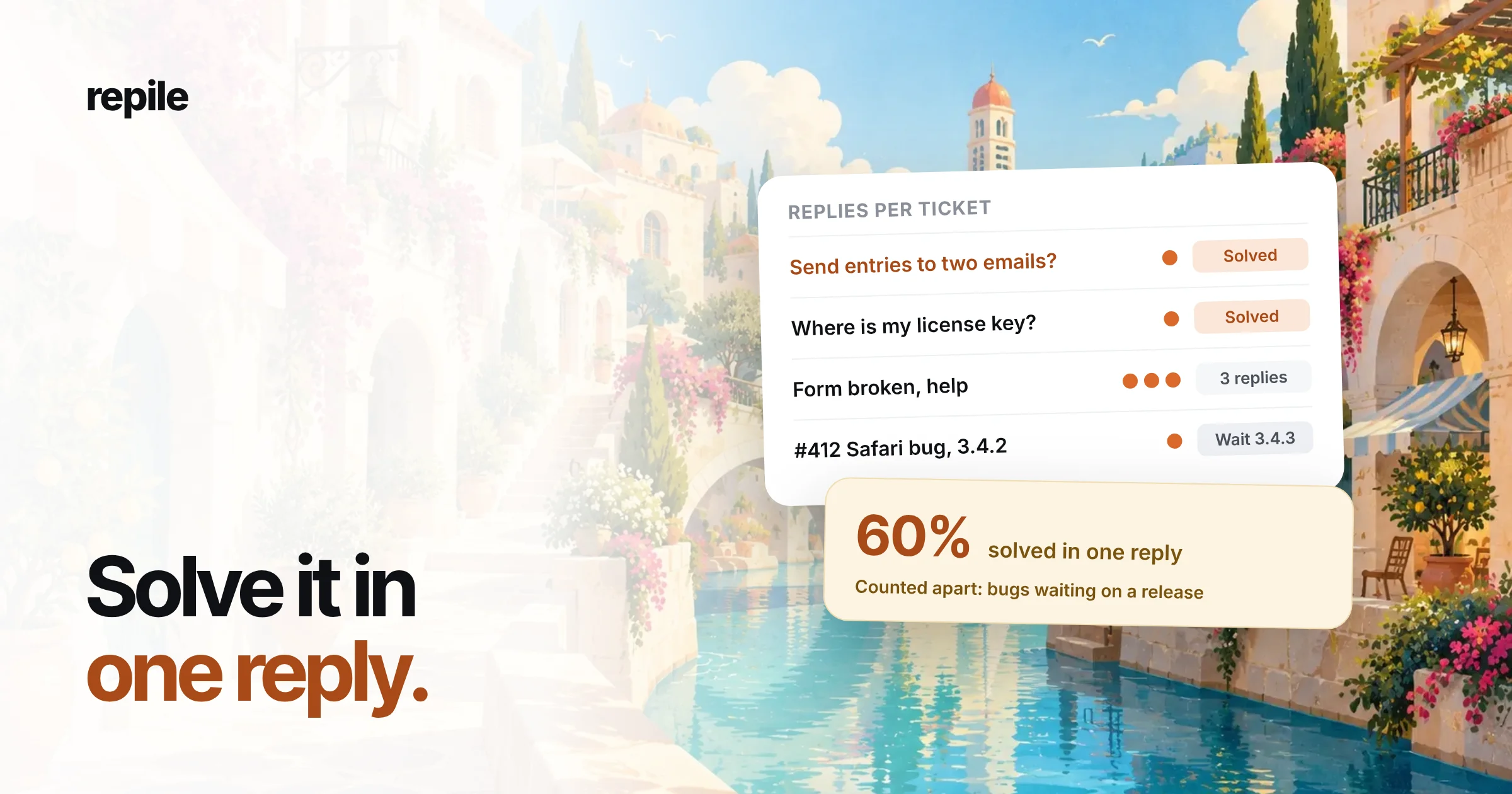
First contact resolution (FCR) is the share of tickets your team solves with its first reply, with no follow-up needed from the customer. You calculate it as tickets resolved on the first reply, divided by all tickets you count, times 100.
On a WordPress plugin or theme team, the number is useful only if you are honest about which tickets one reply can solve. A bug that needs a new release will never be solved in one reply, however good the reply is.
What is first contact resolution?
First contact resolution measures how often a customer gets what they need from the first answer. You may also see it called first call resolution, one-touch resolution, or resolved on first reply.
The "call" version comes from phone support. Plugin teams work in email, contact forms and the WordPress.org forums, so the contact that counts is your first reply in the thread.
It is not the same as first response time, which asks how fast you replied. First contact resolution asks whether that reply ended the problem.
How do you calculate first contact resolution?
The formula is simple:
FCR = tickets resolved on the first reply / tickets counted x 100For example, if your team closed 200 tickets last month and 120 of them needed only one reply from you, your FCR is 60%.
The hard part is deciding what "resolved on the first reply" means in email. A phone call ends when the customer hangs up, but an email thread can come back a week later.
For email tickets, we suggest this rule:
- the ticket got exactly one reply from your team,
- the customer did not write back with the same problem within seven days,
- the ticket was closed, or the customer replied only to say thanks.
Pick a window and keep it. Seven days suits plugin tickets, because customers often test the fix on their next working day, not the same hour.
Which tickets should you count?
This is where plugin teams get the number wrong. The usual advice is to count every ticket, but some plugin tickets cannot be solved in one reply by anyone.
Count these, because one good reply can solve them:
- how-to questions ("How do I send entries to two email addresses?"),
- license and account questions,
- settings and setup problems,
- a known issue that already has a workaround,
- a conflict with another plugin or the theme, once you know which one.
Track these separately, because the fix is not in your reply:
- a confirmed bug that needs a new release,
- a feature request,
- a problem in another company's plugin, theme or hosting that you have to hand off.
Leave out spam, auto-replies and "thanks, that worked" messages. Merge duplicate tickets first, or one customer writing twice will count as two failures.
Why is the bug-that-needs-a-release case different?
Take ticket #412. Dana Whitfield at Northwind Bakery writes that the Formwise order form does nothing in Safari since she updated to 3.4.2.
Your team reproduces it and confirms it is a Formwise bug. The best possible first reply says that, offers a workaround, and promises an email when 3.4.3 ships.
That reply is excellent, but the ticket is not resolved. If you count it as a failure, your FCR falls every time you ship a bad release, and nothing about your support got worse.
So report two numbers: FCR for tickets one reply can solve, and a count of tickets waiting on a release. The second one belongs to the developers as much as to support.
What is a good first contact resolution rate?
Most published benchmarks come from call centers, and they put a typical rate around 70%. Those numbers mix password resets and billing calls with everything else, so they say little about a plugin queue.
A better benchmark is your own number last quarter, measured the same way. If it falls, read ten of the tickets that took more than one reply and look for the pattern.
Why do plugin tickets take more than one reply?
Look at the second reply in those threads. On plugin teams it is usually one of these:
- Asking for versions. "Which version of Formwise, WordPress and PHP are you on?" is the most common second message in plugin support.
- Asking for steps. "What exactly did you click?" because the first message said only "it's broken".
- A guess that was wrong. The first reply said "clear your cache", the customer did, and nothing changed.
- Answering the wrong version. The reply describes a setting that moved two releases ago.
- A second question. The customer asked two things and the reply answered one.
The first two are about what the customer sends. The last three are about what your team checks before replying.
How to improve first contact resolution
Most of the gain comes from getting it right before the first reply, not from replying faster.
Get the details in the first message
Ask for versions, steps and Site Health info in your contact form, so you do not have to ask in your reply. Our bug report template is a form you can copy.
If a customer still leaves something out, ask for everything you need in one message. Three separate questions are three extra contacts.
Check before you reply
A reply that says "we reproduced it on Formwise 3.4.2 in Safari" ends more threads than a fast guess. Reproducing the problem on a copy of the site, and reading the code for the version the customer has installed, is what turns a guess into an answer.
That takes longer than a canned reply. It is still faster than three rounds of "did that help?".
Answer every question in the ticket
Before you send, reread the customer's message and list what they asked. Two questions get two answers, in the order they asked them.
Close the loop in the same reply
End with what happens next and what the customer should see. "Go to Formwise > Forms > Notifications, add the second address and click Save, then send a test entry: both inboxes should get it" leaves nothing to write back about.
Keep known issues and workarounds where support can find them
If three customers hit the same bug, the third should get the workaround in the first reply. A known issues page and good internal notes make that possible.
Can you push FCR too far?
Yes. A team measured only on FCR learns to close tickets after one reply and hope.
That shows up later as reopened tickets, low satisfaction scores and the same customer opening a new ticket for the same problem. Read FCR next to reopened tickets and CSAT, not on its own.
Do not count a "please send your versions" reply that gets no answer as a resolution either. A customer who gave up is not a customer who was helped.
What about the WordPress.org forums?
The same idea works on your plugin's support forum. A topic resolved after one reply from you counts, and a topic where you had to ask for details does not.
Forum topics are public, so a complete first reply also helps the next person who finds the thread. That makes the extra checking before you reply worth even more.
Where Repile fits
Repile is not a helpdesk and does not report FCR. Your tickets and your reports stay in Help Scout, FreeScout and the WordPress.org forums.
What Repile does is the checking before the first reply. It triages each new ticket as a real bug, a setup question or a duplicate, and each project's instructions can tell it to always ask for the plugin version.
When it looks like a bug, it copies the customer's site into a sandbox and tries the steps (site cloning). Then it reads your plugin's code for the release the customer has installed (code reading).
It leaves an internal note with the verdict and a reply draft in the ticket, and a person on your team presses send (notes and drafts). When it is your bug, it can open a GitHub issue with the steps, the evidence and the failing line.
See how it fits a plugin company or a theme company, or compare the plans.